Plan it.
Wire it.
Run it.

The new way to design your dream model railway.

Download free See how it works
DC INCONTROLLER
How it works

Six easy steps to take you from an empty space to a working layout

Each step has its own screen so you always know where you are and what comes next. You can start with the room and the baseboards or jump straight to the track, wire it the easy way or in expert mode and then finish by running trains round it in the simulator.

Room

Measure up the space

Baseboard

Lay out your boards

Planner

Lay the track

Wiring

Wire it up, with help

Decoration

Ballast and scenery

Simulator

Run a train through it

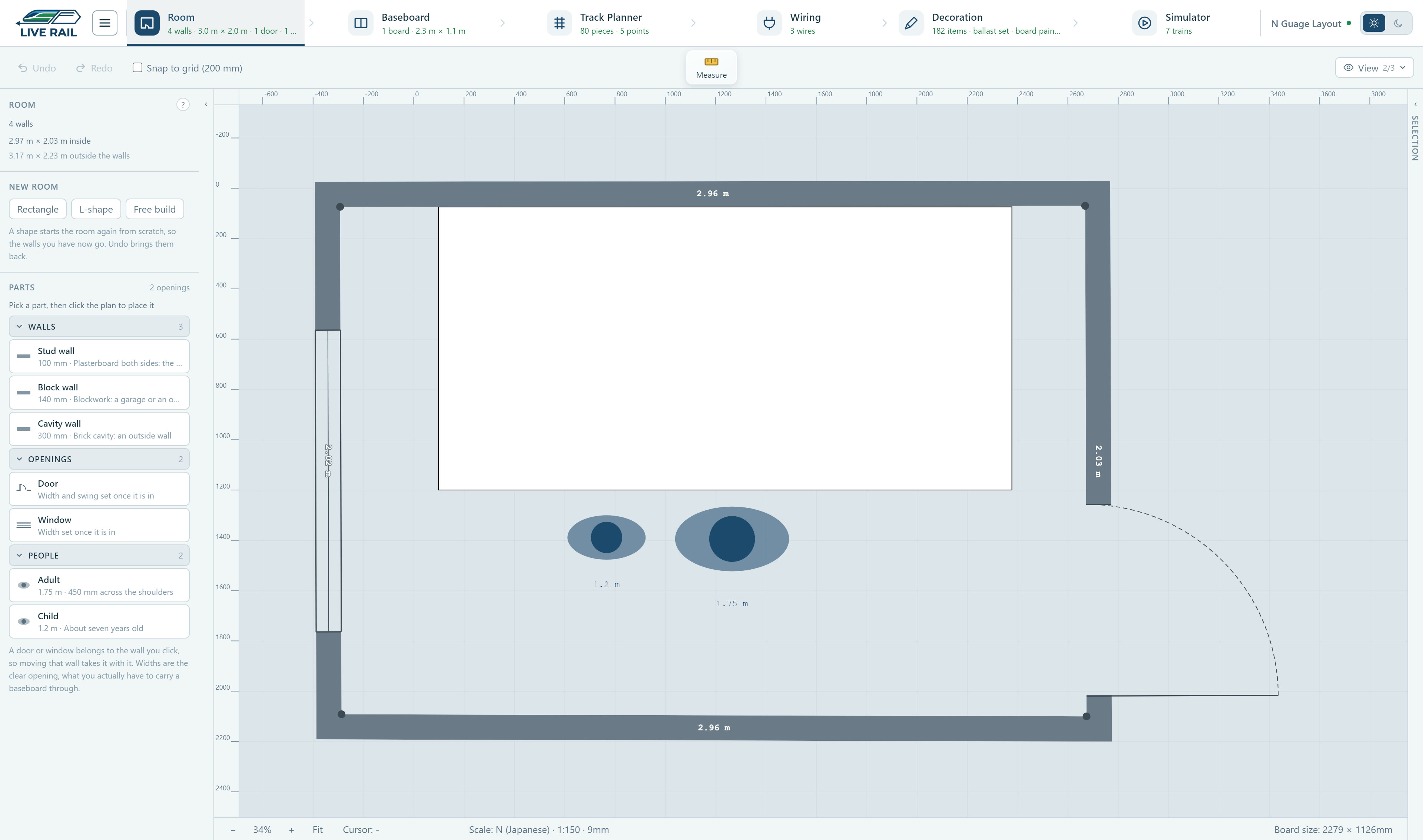
An N gauge layout in LiveRail's room view, with the door, the window and two people drawn in for scale

This is an N gauge layout in its room, with the door and window drawn in and a couple of people for scale so you can see if the baseboard will actually go through the door.

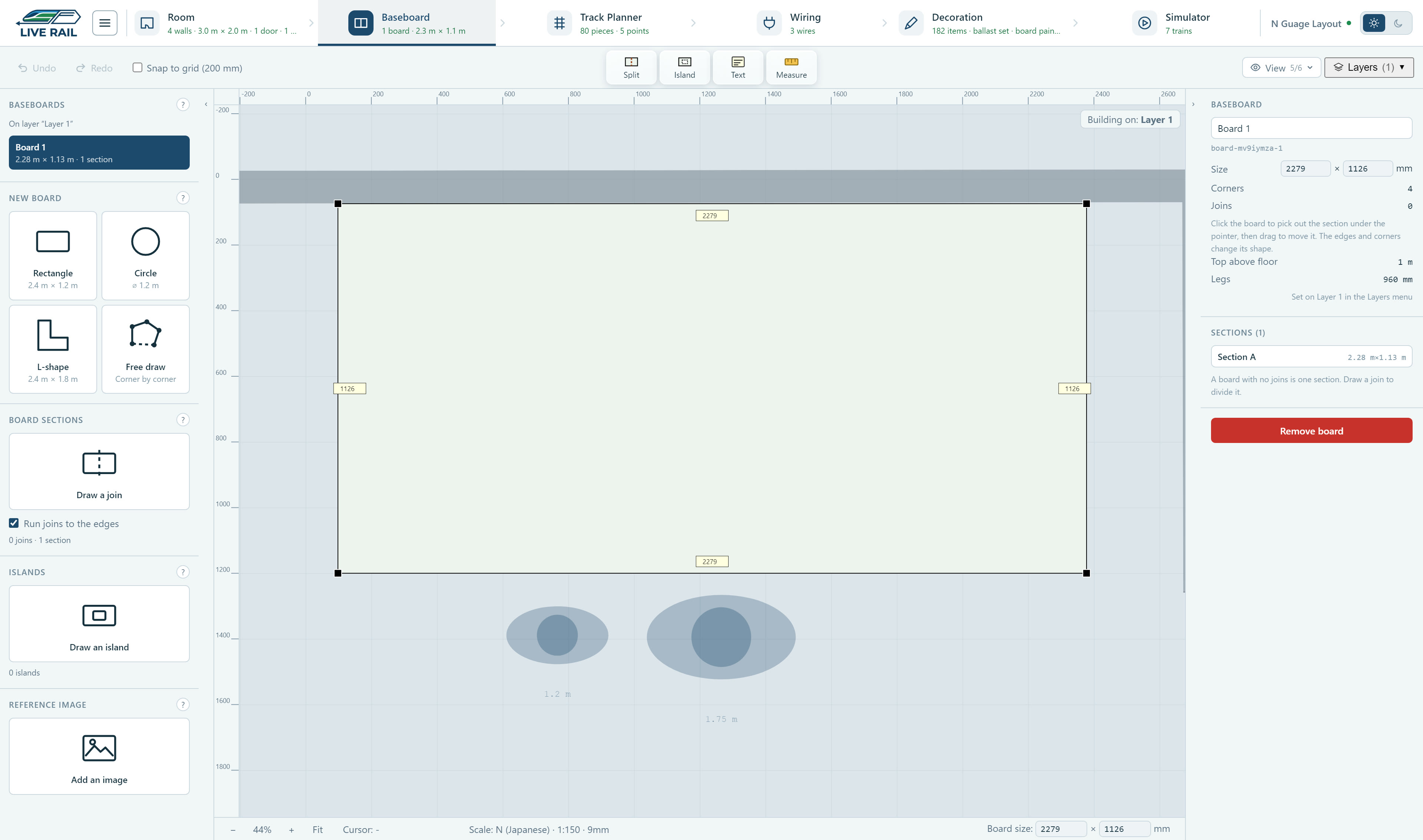
The baseboard for an N gauge layout in LiveRail, drawn on its own with the board size on each edge

The baseboard sits inside the room and you can split it wherever it has to come apart, or put a picture of your plan underneath it to trace over.

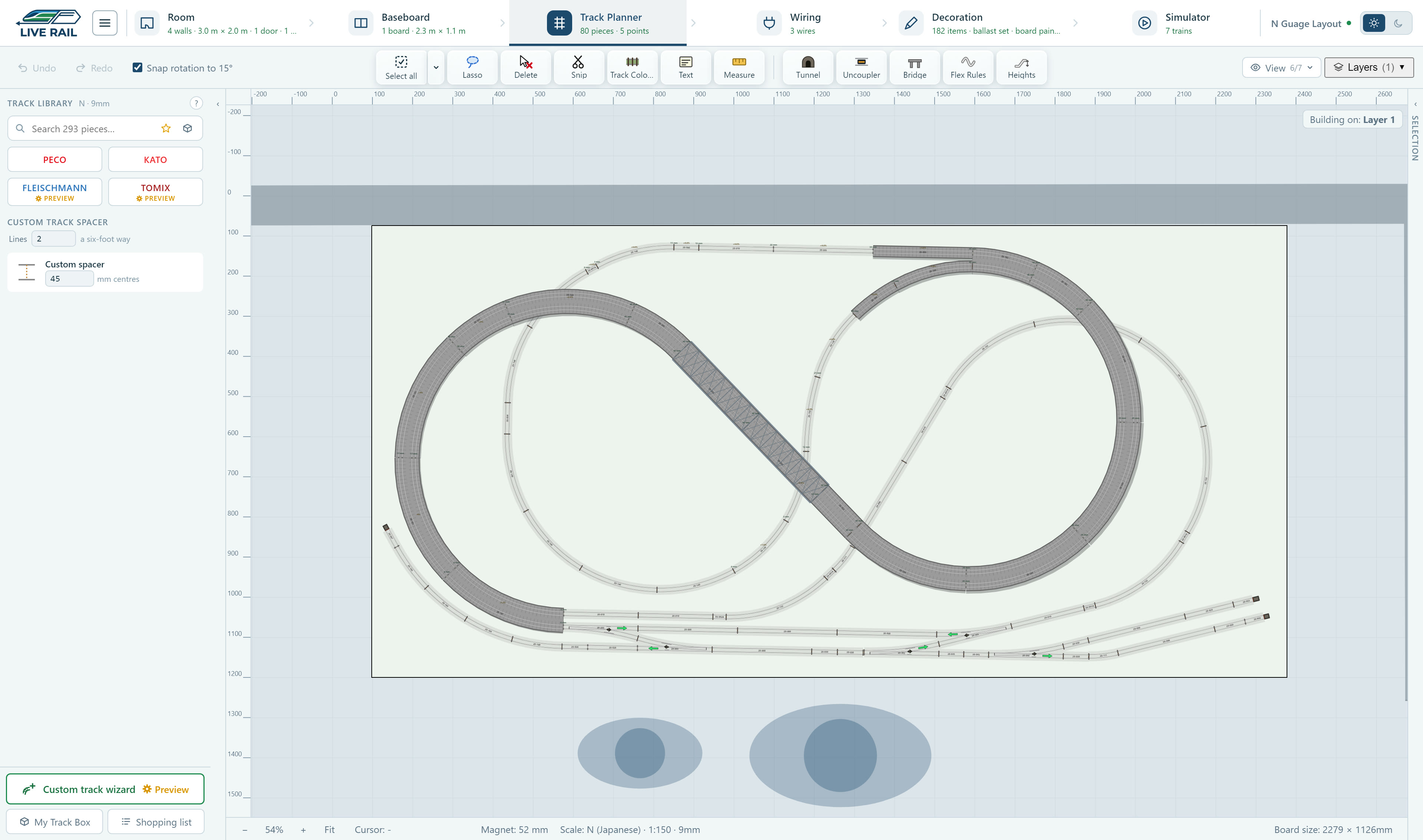
An N gauge layout in LiveRail's track planner, laid with Kato Unitrack including a viaduct and a siding with points

The track is all Kato Unitrack from the real catalogue and laid at its true size, so what you see is what you will be buying.

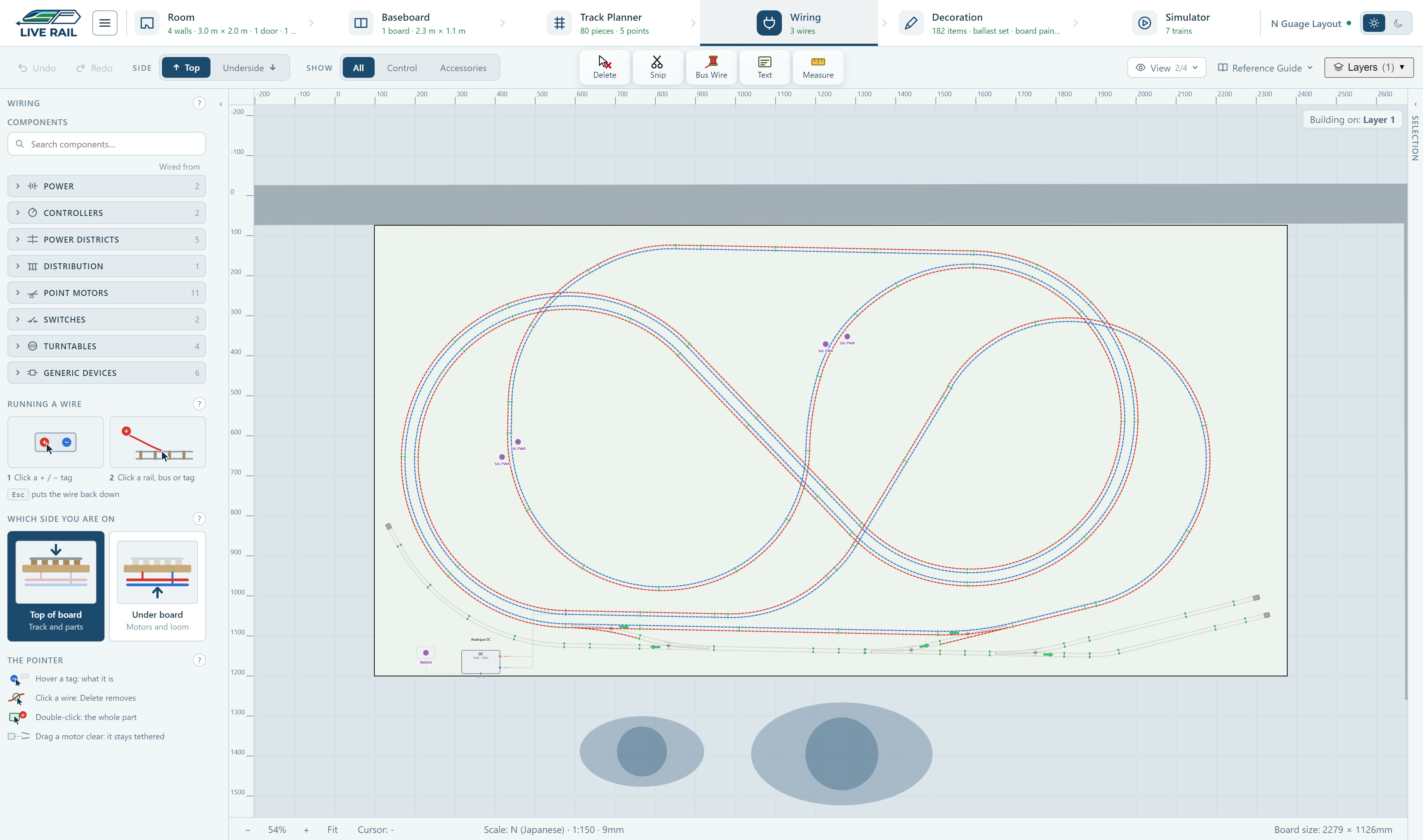
The wiring view of an N gauge layout in LiveRail, with red and blue lines on the live rails and the siding greyed out because nothing feeds it yet

The wiring goes over the same plan with red and blue for the two rails, and anything that is not fed shows up grey, like the sidings here, before you have soldered a thing.

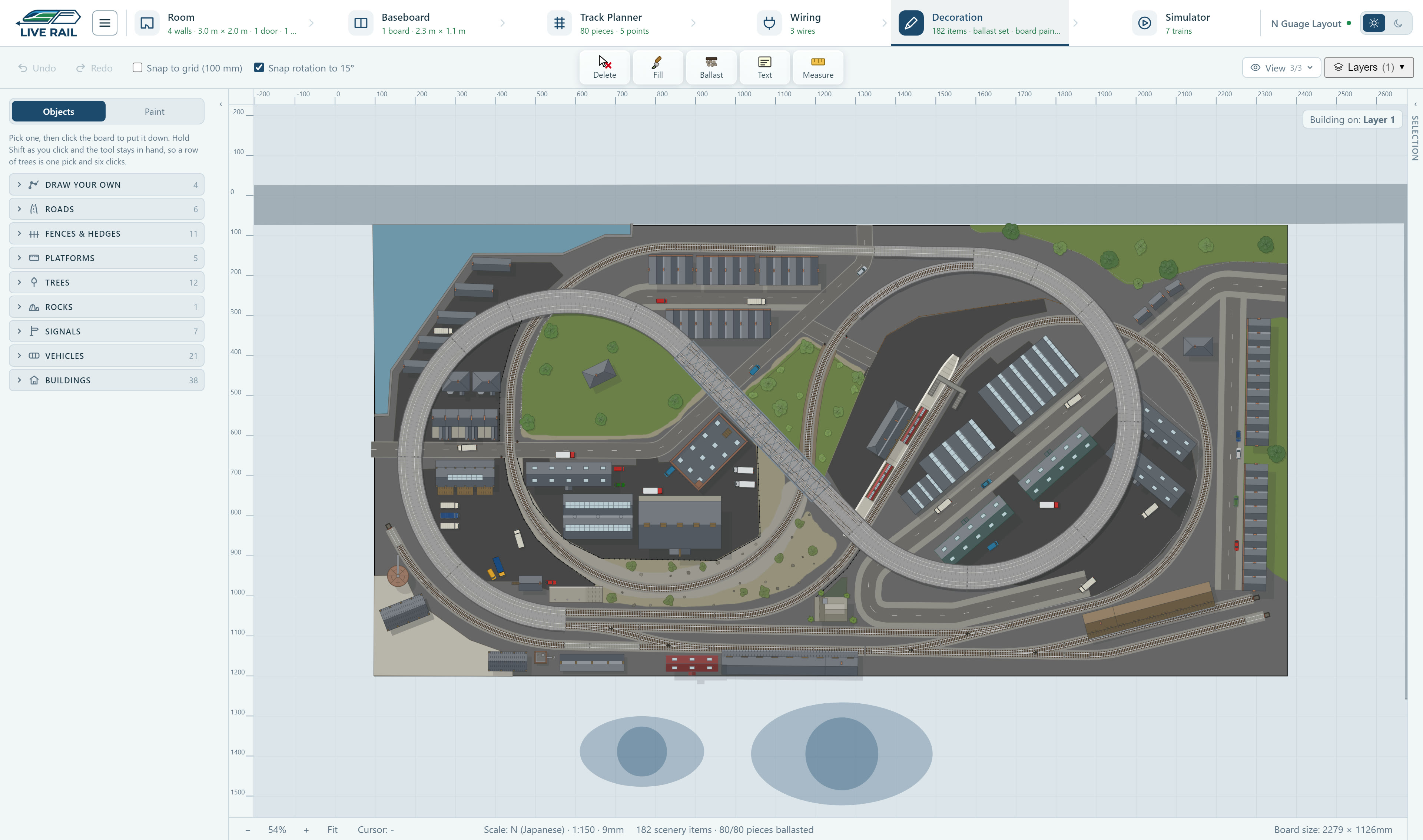
An N gauge layout in LiveRail's decoration view, with ballast, roads, buildings, a harbour and trees laid around the track

Then you can paint the board and add ballast, roads, buildings and trees so you can see what the finished layout will look like.

And then the trains, running round it from a DC controller to see if everything fits and clears.

Why it exists

I wanted a planner that helps with the wiring and the room as well.

Most of the planners I tried are really good at drawing track and then leave you to get on with everything else. The wiring is where a lot of layouts stall and the forum advice on it doesn't always agree with itself, so I made that the part LiveRail helps with most.

The other things people in the hobby moan about are free versions that stop at 50 or 100 pieces so you end up splitting your layout across files, track that doesn't quite match what comes in the box, and programs that take a weekend to learn. LiveRail's free version is the whole app with a limit of 100 objects and the wires never count towards it.

Mike, LiveRail

Made in the UK

Parallel track in one go

Pick up to five lanes of flexi track, lay the first one and the rest follow it round every bend at the right spacing. Set track has spacers for each range so double track lines up too.

Your own plan under the baseboard

Drop in a plan, a sketch or a photo of the room and tell it how long something in the picture really is. It scales to match so you can trace your track over the top.

Wiring that checks itself

Put the droppers, bus and sections over the plan and the track shows you what is live, what is only half fed and what is dead, so you find the problem on screen and not with a meter.

DCC as well as DC

Every loco gets its own handset with its address and the function keys it really uses, and you can run several at once. On DC you get a controller and sections you can switch on and off.

Points you throw from a switch

Put a point motor and a panel switch on the plan and wire one to the other, and the switch throws the point in the simulator. You find out the wiring works before you have drilled a single hole.

The room as well

Draw the walls, the door, the window and the sockets with a person in for scale, so you can see whether the boards will go through the door and whether the plug reaches a socket.

Fares

Buy it once and it's yours

There's no subscription. You can start with the free version and only upgrade if your layout gets bigger than it allows.

It costs less than a single turnout and planning first makes you less likely to buy track you didn't need.

Platform
Platform ticket FREE
Valid: indefinitely · No expiry
  • Up to 100 objects
  • Wires are free and never counted
  • Every stage with no time limit
Download for Windows Download for LinuxBeta Build Release log Windows 10 or 11, 64-bit. Linux beta: 64-bit, such as Ubuntu 22.04 or newer.

Windows will warn you the first time

The installer is not code signed yet, so Windows SmartScreen shows a blue Windows protected your PC box when you run it, and the publisher reads as unknown. That is expected.

Click More info, then Run anyway.

The intro

Watch the intro video

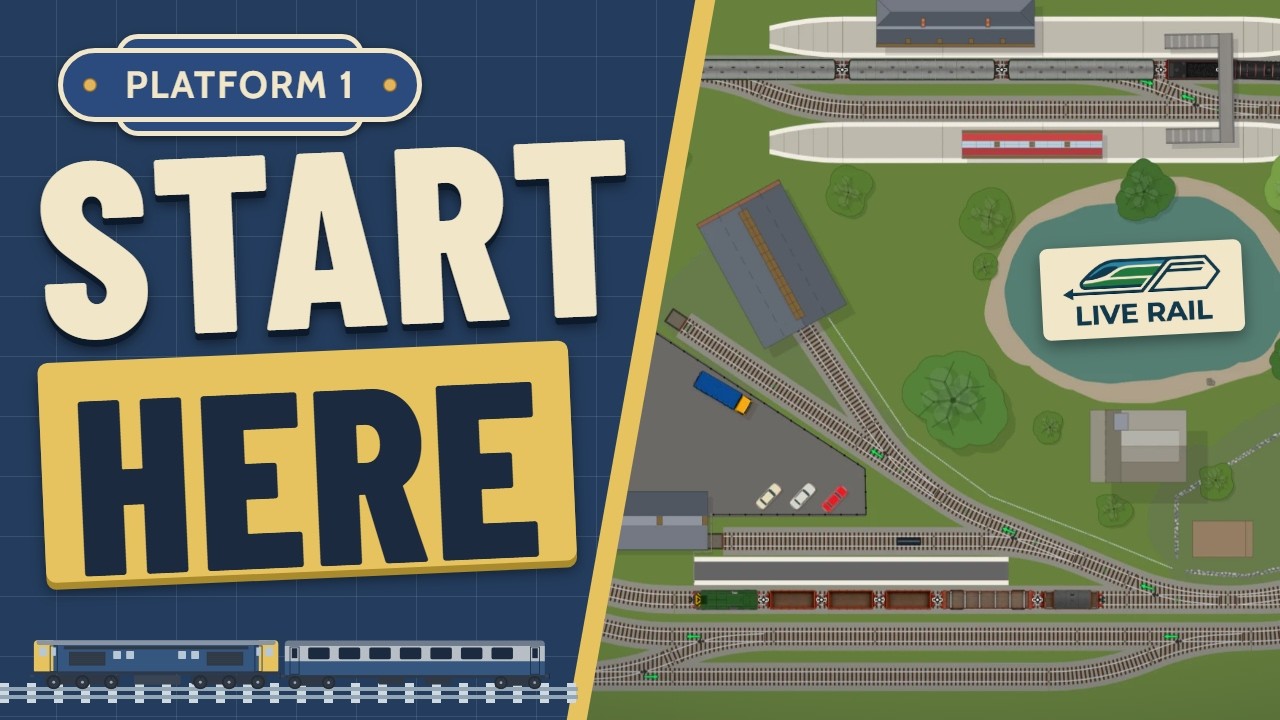
The LiveRail intro video: the words Start here on a Platform 1 sign beside a LiveRail layout plan

A demo of the version 1 release that walks through the basics: setting up the room and baseboard, laying the track, wiring it up, decorating it and running trains round it in the simulator.

Start planning your layout tonight

The free version is the whole app with a limit on size, and there is no account to make and no catch.

Windows 10 or 11, 64-bit. Linux beta: 64-bit, such as Ubuntu 22.04 or newer.

Stage 04 · Wiring

The part most planners leave you to work out on your own

You draw the droppers and bus over the plan you have already laid and LiveRail walks the circuit, checks the frogs, sizes the wire and tells you what it found in plain English instead of handing you a diagram you still have to work out yourself.

Bramblewick Sidings: Wiring
The wiring view of an N gauge layout in LiveRail, with red and blue lines on the live rails and the siding greyed out because nothing feeds it yet
What it checks

The three things that stall most first layouts

Frogs

It knows which frog you laid

Electrofrog needs its frog switched and its exits isolated and Insulfrog does not. LiveRail reads the catalogue code of the point you have placed and warns you before the short happens and not after.

Continuity

It walks the positive and negative sides on their own

Every circuit is a loop so if you check both sides together you can never tell which wire has gone wrong. Checking each side separately means a break can be pinned to the one wire that is causing it.

Sections

It colours the sections apart

Break the layout into sections and you can see at a glance which fishplates need to be insulated and which joins are carrying current they should not.

Wire sizing

Wire sizes worked out from what each run carries

The gauge picker is not just for show. LiveRail works out what each run actually carries and recommends a wire that can take it, using ratings for British PVC equipment wire and not the chassis wiring figures from generic AWG tables, which are far too optimistic for a layout.

You get to see the working so next time you will not need the app to tell you.

AWG
Carries
UK wire
Conductor
17
6 A
32/0.2 mm
1.01 mm²
18
4.5 A
24/0.2 mm
0.75 mm²
20
3 A
16/0.2 mm
0.50 mm²
24
1.4 A
7/0.2 mm
0.22 mm²
Ratings for British PVC layout wire. All four land within a few percent of 5.8 A/mm², which is how the in-between gauges are worked out.
Both, properly

Where DC and DCC part company

Most explanations bury it but it is the whole difference, and once you have got it the rest of the wiring follows.

Analogue DC

The controller decides direction.

Reverse the polarity on the track and every loco in that section reverses with it. So the layout gets divided into sections, and each section needs its own switched feed if you want to park one loco and drive another.

DCC

The loco decides direction.

The track carries a constant signal and each decoder listens for its own address. Sections stop being about control and start being about power districts and fault-finding: a different job with different wiring.

A planning aid, not an electrical certificate

LiveRail checks the low-voltage side of a model railway and helps you size wire for it. It doesn't inspect your mains supply, your controller or your soldering, and it isn't a substitute for reading your equipment's own instructions.

Wiring is free and always will be

Droppers and bus never count against the free object limit, so you can plan a small layout, wire it completely and decide afterwards.

Download free